After finally setting up I realized that I made a huge mistake with the Unity version that I didn't notice until after setting it up on the pyramid. I forgot that since the image reflects from the TV to the pyramid, the Leap Motions controls are technically reversed as well.
I fixed it within 30 minutes by writing this code:
function OnPreCull () {
camera.ResetWorldToCameraMatrix ();
camera.ResetProjectionMatrix ();
camera.projectionMatrix = camera.projectionMatrix * Matrix4x4.Scale(Vector3 (-1, 1, 1));
}
function OnPreRender () {
GL.SetRevertBackfacing (true);
}
function OnPostRender () {
GL.SetRevertBackfacing (false);
}
@script RequireComponent (Camera)
Basically flips the camera and uses backfacing to flip the image. A very easy and effective fix.
Thursday, April 24, 2014

Saturday, April 19, 2014
Done...sorta
Basically a recap of the last week:
-My computer broke, so I sent it in for repairs.
-Bought the most powerful stock model that apple had in stock.
-Spent an entire night moving everything from my backup to the new computer and getting my thesis to work with it.
-Finished the application portion of the project.
-Created 2 animations and rendered them both.
-Dealt with multiple render crashes.
-Sent one animation SVA to render on their render servers.
-Composited all of the animations into one video.
-Created a sign out of EL wire to help advertise for my thesis at the showcase.
-Created my splash screen for the showcase.
-Lost a lot of sleep, money, and self motivation.
That's about it. I just have to prepare my pitch and presentation and do the video for the website. I have basically put in about 2 weeks worth or work and rendering into about 4 days. You should hopefully see my project running on the show floor next friday, as long as apple gets me my computer back before the show Leap motion wont give me another beta key which is currently running a few parts of my apps and my key is on my broken computer).
-My computer broke, so I sent it in for repairs.
-Bought the most powerful stock model that apple had in stock.
-Spent an entire night moving everything from my backup to the new computer and getting my thesis to work with it.
-Finished the application portion of the project.
-Created 2 animations and rendered them both.
-Dealt with multiple render crashes.
-Sent one animation SVA to render on their render servers.
-Composited all of the animations into one video.
-Created a sign out of EL wire to help advertise for my thesis at the showcase.
-Created my splash screen for the showcase.
-Lost a lot of sleep, money, and self motivation.
That's about it. I just have to prepare my pitch and presentation and do the video for the website. I have basically put in about 2 weeks worth or work and rendering into about 4 days. You should hopefully see my project running on the show floor next friday, as long as apple gets me my computer back before the show Leap motion wont give me another beta key which is currently running a few parts of my apps and my key is on my broken computer).
Thursday, April 10, 2014
Main Menu

I am still running into a few problems currently, mainly Unity and/or Monodevelop crashing my computer so it is making it a slow progress rate.
Blocks


Maze


Skull
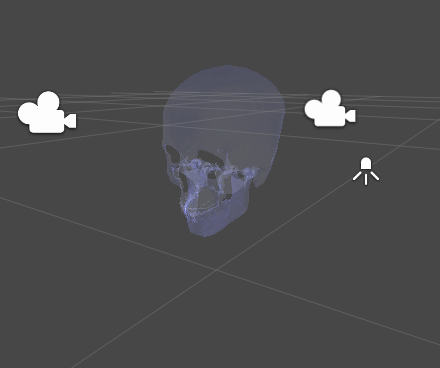


Big updates to come in a little bit.
Due to me working a lot and getting sick, I haven't been able to post at all over the last month. So today I will be updating it all today.
As a brief overview:
-Maya Script Complete along with a few demo videos. Hopefully more will be made before the showcase.
-Unity has crashed my computer an upwards of +50 times resulting in multiple occasions where I lost a lot of progress. I will be doing separate updates with a small summary as to what each app does.
As a brief overview:
-Maya Script Complete along with a few demo videos. Hopefully more will be made before the showcase.
-Unity has crashed my computer an upwards of +50 times resulting in multiple occasions where I lost a lot of progress. I will be doing separate updates with a small summary as to what each app does.
Sunday, February 16, 2014
Major Updates
Here are what has happened since the last post:
Thesis Hologram Script
-Completed, uploaded, and updated to Creative Crash
-A link to the page can be found here: http://www.creativecrash.com/maya/script/3d-hologram-rig-script-and-image-combine-script
-A TV has been found and purchased. It should arrive within the week.
Independent Study Unity Hologram Application
-I created the basic framework for the application
-I have it working a little bit with the Leap Motion
-The user can control a cube in the 3D space and have it outputted in the hologram format
Thesis Hologram Script
-Completed, uploaded, and updated to Creative Crash
-A link to the page can be found here: http://www.creativecrash.com/maya/script/3d-hologram-rig-script-and-image-combine-script
-A TV has been found and purchased. It should arrive within the week.
Independent Study Unity Hologram Application
-I created the basic framework for the application
-I have it working a little bit with the Leap Motion
-The user can control a cube in the 3D space and have it outputted in the hologram format
Monday, January 6, 2014
Winter Break Update
I haven't been updating at all over break due to me being sick and trying to catch up on sleep. I have made some progress in the next phase of my thesis. I have upgraded to Unity 3D Pro 4.3 and downloaded the necessary assets for getting the Leap motion to work. As for how I will actually recreate my project in Unity, I haven't gotten too far. I will probably think about it for the rest of break and get back into it once the semester starts up again.
Sunday, December 15, 2013
Files!
Here are the scripts and code necessary to create your own 3D holograms within Autodesk Maya. Please make sure that you read the README text file before trying it out.
Here you go:
https://www.dropbox.com/sh/yte9czol0p99gs7/kDnSKusKGc
Here you go:
https://www.dropbox.com/sh/yte9czol0p99gs7/kDnSKusKGc
Update
Just a quick update
Scipts- 100% complete
-Written, play-tested, and converted into proper file format.
Rig- 80% complete
-Pyramid made. Just needs a effective and sustainable display source.
Files will be uploaded here within the hour.
Monday, November 25, 2013
Update
Over the last week, I have been working on the actual hologram rig. Due to the open sculpture studio hours, the adhesive taking a day to dry, and releasing ammonia it has been a very slow task. As of right now the final adhesive is curing and should be complete and installed onto the pedestal by today.
Sunday, November 10, 2013
Hologram Rig V4
So after I got my computer back I was able to work more on my script. Last night I had a dream that made me realize a fault in my script. If someone is planning on using the rig with the display above the pyramid, then the images wont sync up correctly when it is displayed on the hologram pyramid. With that in mind I rewrote part of my script, almost doubling it in size. There is now a beginning dialog box that allows the user to choose ahead of time which rig to use that suits their needs. All I had to do was recreate the rig with a different type of camera to achieve the desired results. Thusly Hologram Rig Version 4 has been written and completed.
Friday, November 8, 2013
weekend update...or lack there of.
Sadly I will not be able to get any work done this weekend because tcnj internet broke my laptop. It is currently being worked on at the apple store and I will hopefully be able to get it fixed this weekend.
Sunday, November 3, 2013
Update
Sadly through my research and with the help of Prof. Kim, we were unable to find a solution to the problem I am having with combining the two scripts. It seems that the MEL scripting language and Maya in general does not like playing with the combination of MEL, Bash, and PHP scripts. As of right now, until I find a work around I will have to leave it as two separate scripts, which isn't a deal breaker. I have also acquired a old LCD monitor that I am going to use to make a installation rig for the thesis. The bad news is that it is broken, so I will have to take a look on the inside to see if there is anything I can do to fix it.
Tuesday, October 22, 2013
Update
As of right now, the MEL Script and the PHP are done. I have gotten Maya to call the PHP through it's own terminal/ The only problem I am currently having is that I am having trouble polishing up the code in a way that we can have it cleanly be called with ease. I have tried linking the PHP to the MEL Script, and that just ended up erroring out or just initiating the code too quickly. This weekend I plan on grabbing an old monitor to try to start planning out a new rig.
Wednesday, October 16, 2013
Code Update
As of now the rig code is almost 100% complete, aside from tweaking.
The PHP code is also done, but it needs to be polished up a bit. Having Maya call the file and the set up for it is a bit tedious and confusing especially for a new user.
The camera rig has been changed from a simple camera to a camera with aiming. It had to be changed due to the fact that renders wont look good with my original hologram idea so this is the closest thing to a fix for it for now.
The PHP code is also done, but it needs to be polished up a bit. Having Maya call the file and the set up for it is a bit tedious and confusing especially for a new user.
The camera rig has been changed from a simple camera to a camera with aiming. It had to be changed due to the fact that renders wont look good with my original hologram idea so this is the closest thing to a fix for it for now.
Monday, October 14, 2013
Sunday, October 13, 2013
Initial Thesis Porposal
Abstract
My
goal for this thesis is to explore tools and techniques in
order to create a different style in the way animation is created and
viewed. Through the
use of the MEL Scripting language, within Autodesk Maya, various
plugins will be created in order to render images for a rig, which
will also be built, that will produce holographic video.
Introduction
Imagine,
if you will, watching an animation or any movie. You see what the
director or creator of said film wants you to see, because it is the
main focus. What you sometimes don't see, is the details that are
painstakingly put into a film that only appear for a brief second,
never to be seen again. With my project I would like to change that.
Imagine watching something and then having the ability to control the
viewpoint as to what you are watching. The film still has it's main
focus, but you are given the ability to see things that you would not
normally see. I've seen a few examples of holograms, but very few
implement such an idea and because of that I would like to see why
they don't give this form a try by showing it first hand.
Thesis
Statement and Goals
- To research and utilize MEL Scripting, a scripting language that allows the user to create new tools for the Autodesk Maya application.
- To learn how to not only create my own camera rig tool within the application, but a different style of rendering as well.
- To explore different ways to show user content that may increase the vision of ones animation.
Approach
With
the use of Autodesk Maya and other software, I plan on creating a
series of scripts, that work together in aiding in the production of
holographic films. I will also create a rig out of plexiglass that
will be the main catalyst for showing my 3D Holograms along with the
creation of either short demonstration animations and/or a animated
short.
Preliminary
Results
After
conducting some tests over the summer, I was able to create an
animation and rig that showed off a very basic idea of my thesis
project. From that, I was able to see what I needed to do in order to
make a version that was more readily available to other animators. I
also learned what to do and what not to do when making the physical
rig.
Work
Plan
(Based
Off of Independent Study Schedule)
Week
1
|
August
27 - 31
|
|
Week
2
|
September
3 - 7
|
|
Week
3
|
September
10 - 14
|
|
Week
4
|
September
17 - 21
|
|
Week
5
|
September
24 - 28
|
|
Week
6
|
October
1 - 5
|
|
Week
7
|
October
8 - 12
|
|
Week
8
|
October
15 - 19
|
|
Week
9
|
October
22 - 26
|
|
Week
10
|
October
29 - November 2
|
|
Week
11
|
November
5 - 9
|
|
Week
12
|
November
12 - 16
|
|
Week
13
|
November
19 - 23
|
|
Week
14
|
November
26 - 30
|
|
Week
15
|
December
3 - 7
|
|
Week
16
|
December
10 - 14
|
|
Relevant
Prior Coursework
- TST 161: Creative Design
- IMM 210: Animtaion I
- IMM 310: Animation II
- CSC 365: Games I: Design & Architecture
- CSC 465: Games II: Implementation
Implications
of Research
What
I plan to achieve from this is to show a new way of viewing
animations and film that hasn't been done before and to make the
tools created for it available for all who wish to use it.
Subscribe to:
Posts (Atom)